
Ohio LinuxFest 2026 has a strong set of presentations about Free and Open Source Software! Read on for details about our speakers and what they will be talking about.
Friday Presentations
Alex Bandar
Alex Bandar has a PhD in materials science and engineering and spent 10 years writing software for the manufacturing industry. For 18 years he has managed the Idea Foundry makerspace in Columbus. He has been the “Innovation Ecosystem Director” for NSF HAMMER-ERC at Ohio State University over the past two years.
Observations on 20 Years of Open-Source Innovation
Alex will talk about his experiences at an art community, a makerspace, and at Ohio State regarding his introduction to open source education and development. He will also discuss his experiences at Idea Foundry and other makerspaces as well as his exposure to open-source innovation in robotics and AI at Ohio State University.
Roland Kreml
Roland Kreml is a Senior Lecturer in Computer Science & Engineering and International Studies at The Ohio State University, and is Associate Director of Educational Communications and Data for the Institute for Cybersecurity and Digital Trust (ICDT). He teaches courses in information security and serves as Associate Director for ICDT, where he leads efforts to maintain Ohio State’s compliance with the NSA’s National Centers of Academic Excellence in Cybersecurity designations (NCAE‑CD and NCAE‑R).
Prior to moving to a role as full-time faculty, Roland had over 30 years experience in IT and information security and 21 years in management, with roles such as Network Engineer, IT Director, Information Security Officer, Lead Security Analyst, and Associate Director Risk Management.
His goal is to integrate industry experience into teaching to provide real‑world context for students.
The AI Security Paradox: Why the Basics Matter More Than Ever
The following topics will be covered:
- The AI security paradox: AI enabled attacks, changing threats with familiar weaknesses, and the importance of fundamentals
- Know what you are protecting: Data classification, asset inventory, and risk assessment
- Governance: Practical policies, industry standard frameworks, org expectations, and common language
- Processes and people: Change controls, SOPs, firewall reviews, patch management, training and awareness
- HA is not DR: high availability vs backups, restoration testing, business continuity, disaster recovery plans which meet the org needs
- Access, visibility, and response: onboarding/offboarding, least privilege, access creep, centralized logging, intrusion detection, incident response
- Compliance vs effectiveness: are you verifying or checking a box
- Closing: what are we assuming is secure, how do we verify it that assumption, and what if we’re wrong?
This will be an interactive session with the use of Mentimeter questions. Participants can answer via their phone without the need of apps or registering an account.
Chris Orban
Chris Orban is a professor in the physics department at Ohio State University, and by training is a computational physicist. He did his Ph.D. thesis in computational astrophysics, and when not working with teachers he runs supercomputer simulations of ultra-intense laser interactions. Chris has been daily driving a laptop running some flavor of Linux since he was in college. In 2020, he added Ruby on Rails and quarto to his repertoire to help launch an education non-profit.
STEMcoding: Ohio’s Open Source-Powered YouTube Channel
The STEMcoding YouTube channel started at Ohio State University about 10 years ago with a goal to illustrate how computer science can connect with high school science and math content. From the beginning we embraced p5.js, which is an open source javascript library, and almost everything we did used open source software running on a linux laptop. I go over some of our greatest hits, and talk about what we have been working on recently to address the lack of computer science teachers in Ohio. I also discuss my testimony on a bill still being debated in the statehouse that would require computer science for high school graduation.
Saturday Keynotes
Ben Cotton
Ben Cotton is the Director of Security Consultancy at the OpenSSF. He previously led open source strategy at Kusari and before that was the Fedora Program Manager at Red Hat for five years. Ben has been active in Fedora and other open source communities for over a decade. His career has taken him through the public and private sector in roles that include desktop support, high-performance computing administration, marketing, and program management. He is a 2025 recipient of the OpenSSF Golden Egg Award and a member of the inaugural cohort of OpenSSF Ambassadors.
Keynote: You’d Better Start Believing in Supply Chains—You’re in One
“I’m not a supplier!” open source maintainers correctly say. When a large company comes in making unfunded demands, it drives volunteer maintainers away. But supply chain attacks are a reality and they don’t just affect megacorps. As an open source maintainer, you have a supply chain, too.
Improving your security improves safety for everyone. But how can volunteer maintainers who aren’t security experts do this work? This talk introduces easy practices and tools to address common software supply chain concerns. Attendees will also learn how to address supply chain and regulatory concerns from their downstreams.
Jon ‘maddog’ Hall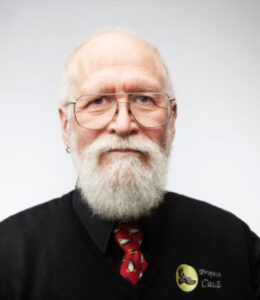
Jon “maddog” Hall is the Board Chair Emeritus of the Linux Professional Institute, Co-founder and Senior Advisor to Caninos Loucos, Executive Director of Linux International and the President of Project Cauã. maddog (as he prefers to be called) is currently the Open Source Technical Advisor for Qsentinel, a company providing a Quantum Computer Resistant environment to protect files and communications while protecting the sovereignty of the user’s data and computing.
maddog has been a programmer, systems designer, systems administrator, product manager, technical marketing manager, university educator, author, CEO and consultant since 1969. In 1973 maddog was programming in assembler language on large IBM (360/370) mainframes, utilizing IBM’s Virtual Machine software. From 1977 to 1980 he was the Department Head of Data Processing at Hartford State Technical College in Hartford, Connecticut. From 1980 to 1983 he learned Unix systems while working as a systems administrator at Bell Laboratories.
In 1986 while working for Digital Equipment Corporation (DEC) he met Richard Stallman of the Free Software Foundation and maddog embraced “Free Software.” maddog met Linus Torvalds in 1994 and recognized the commercial importance of Linux and Free and Open Source Software, Hardware, and Culture. He facilitated the port of the Linux Operating System to the 64-bit DEC Alpha processor. In 1999, maddog left Compaq (after Compaq had purchased DEC) and has been working ever since as a consultant and evangelist for Free and Open Source Software (FOSS).
He enjoys talking to students over pizza and beer … the pizza is optional. maddog has traveled the world (visiting over 100 countries, most more than one time) speaking on the benefits of FOSS. He received his BS in Commerce and Engineering from Drexel University (1973), and his MSCS from Rensselaer Polytechnic Institute in Troy, New York (1977).
Keynote: No One Ever Buys a Computer
About ten years ago I realized that people never buy a computer. They buy a solution to a problem. Maybe your problem is that you want to play a game. You might buy a gaming laptop, or a PC, or a console, but it is playing the game (or games) that drives your purchase. Likewise, if you are a business person, you might want a solution that would help you with your business. Perhaps you need a Point-of-Sale terminal and an Enterprise Resource Planning (ERP) system. You really do not care what hardware you need as long as it has the necessary power and disk storage. You also really do not care about the operating system, as long as it is affordable and maintainable. If you are interested in privacy and security your customer may want an operating system and software that can be inspected maintained locally.
This talk will present four (or more) solutions that can be built with Open Hardware (including a virtual machine), Free Software, and a little study. These solutions could be configured by the end user or used by a person as the basis of a product that could be sold and supported by a FOSS person. I will specifically introduce some solutions that could be used. In reality, there are thousands of solutions that could be formulated.
In the exhibit area throughout OLF, I will introduce Project Cauã, a project to show high school and university students how to start a part time business of creating and supporting these projects for sale to end user customers and businesses. These businesses would help the students earn enough money to help with college expenses and could replace other part time jobs that students might have to cover these costs. While Project Cauã is still in beta mode (think version 0.999999), enough of the project exists to have people interested learn about it and the four (or five) projects that will be at its core.
Saturday Presentations
Brandon Kessell
Brandon Kessell is the owner of a small technology business based in Ohio and has personally performed this migration well over a hundred times. Brandon is excited to give this presentation in his home state.
A Developer’s Guide to Leaving Microsoft SQL Server for MariaDB
This talk goes over the primary business motivation for leaving SQL Server and moving to MariaDB, how to appeal to the management team, and major blockers for such a move. We will then cover the steps to perform the migration and why it can be applied to many more DBMS conversion projects, ending with a live demo.
Charlie Li
Charlie Li is a FreeBSD Ports committer focusing on desktop (primarily GTK-based), Python (primarily infrastructure), amateur radio, and some Rust. Charlie is also an electronic music artist as DJ-BSD.
DJ-BSD: DJing and Music Production on FreeBSD
While there are certain music-focused circles within the Linux community, much of what is possible is also true in the BSDs with some tweaks. More importantly, the tools available on/for open source Unix-like systems are as good or better than the proprietary offerings that are widely marketed to musicians.
This presentation will cover the tooling and setup needed for anyone to start DJing and producing music, using as much open source as possible. Those familiar with or interested in other aspects of signal processing may see some parallels in concepts like flowgraph design and implementation.
While the focus is not on the artistic sides of DJing and music production, topics and demos may include vinyl timecode control, MIDI control, and some audio stack workings.
Danny Meeks
Danny Meeks has been using Linux and has been involved in the Linux community for over 20 years. Danny sometimes appears on Linux and currently maintains their multiple servers: Mumble, Matrix, Jitsi, and Mastodon.
Danny is a DevOps engineer for a financial software company in Coppell, TX and has been in the IT industry since 2001.
Stop Reinstalling Linux: Treat Your Homelab Like Infrastructure
You can use DevOps best practices to make your setup disaster-proof and reproducible, regardless of what life throws your way.
This presentation will show how you can use your hobby to prepare you for the real world of professional IT. Topics I will be covering include:
- Git
- Docker Compose
- Ansible
- Documentation
- Backup configuration
- Service inventories
- Naming conventions
- Recovery procedures
Don Vosburg
Don Vosburg has been managing Linux servers for more than 25 years. He has been a member of the Uyuni community and a product manager for its downstream enterprise offering. He has also been consulting, supporting, and maintaining Linux HA clusters since 2011.
A Cluster of HAppiness: Ensure Resilience with Pacemaker
Creating a robust infrastructure is a key to hosting your application servers. Linux distributions include Pacemaker, a great way to create viable failover clusters that can stand the tests of time and failures. Learn the components of a Pacemaker cluster, and what is required. Get a grip on what different distributions offer around Pacemaker. Get a live look-in on a long-running cluster. Imagine what you can do when you build your own!
Doug Hampton and Silas Bills
Doug Hampton is currently an Associate Professor and Chair in the Computer Information Technology department at Sinclair Community College in Dayton, Ohio. He holds a bachelor’s and master’s degree in information technology, as well as a master’s in education. Doug is also pursuing a Doctorate in Instructional Design. In addition to his academic qualifications, he holds multiple certifications from industry leaders such as Microsoft, CompTIA, LPI, AWS, and Cisco.
Before his time at Sinclair, Doug began his educational career at a university, serving in a progression of roles from Instructor to Senior Director of Information Technology Academic Programs, spanning over ten years. He then advanced to a position as Program Coordinator at a community college in Kentucky, where he contributed for five years. In addition to his academic roles, Doug has gained practical experience as a Database Administrator and Network/Systems Administrator, furthering his expertise in the field of Information Technology.
Silas Bills is currently a student at Sinclair Community College working on their degree in Secure System Administrations, while also working as a Work-Study and tutor under Sinclair’s CIT department. They are currently working on achieving their RHCSA and are pursuing a bachelor’s degree in Cloud Administrations from Sinclair. In their free time, Silas contributes to multiple open-source projects such as The FOG Project, the Linux Kernel, and device patches for their tablet that runs Linux. They also manage all of the issue and pull request triage and user support for the niri wayland compositor on Github.
Legacy to Modern: Exploring The FOG Project’s New UI
The FOG Project has long been a powerful open-source solution for imaging, deploying, and managing computers, but its familiar interface and backend has remained largely unchanged over the years. That is changing with a redesigned user interface that brings a more modern experience to FOG.
In this talk, we will explore the recent FOG Project 1.6 update that includes new interface and backend changes and compare it with the legacy 1.5 version many administrators know today. We will walk through the new design, navigation, and workflow changes while demonstrating how common FOG tasks translate to the updated interface. We will also discuss what the redesign means for existing FOG environments and administrators considering an upgrade.
Dwain Sims
Dwain Sims has a bachelor’s and master’s degree in Computer Science and lived and worked in Silicon Valley for 16 years before moving to Raleigh, NC in 2000. Dwain has been a System Engineer for Sun Microsystems and SunSoft, a Business Development Engineer for SteelEye Technology, an OEM System Engineer for Fusion-io, SanDisk, and a Sales Engineer for SUSE.
Dwain retired in January 2025 but continues to stay active in TriLug (having joined in 2007).
The Digital PDP-11 and the Origins of Linux
This talk will explore how UNIX got started on the Digital PDP-11 and specifically how I got started in this stuff, mostly by accident.
We will take a look at the fun kit called the PiDP-11 and see UNIX running there.
Guy Royse
Guy Royse has a single mission in life: learn how everything works and share it. He’s spent a lot of time learning how technology works—analog and digital, hardware and software—but Guy explores all sorts of interesting topics and he spread the knowledge he gains with communities worldwide.
Teaching and community have long been a focus for Guy. He is president of his amateur radio club. He ran a local JavaScript meetup in Ohio for more than a decade. He has served on the selection committees of numerous conferences. He has even helped teach programming at a prison in Central Ohio.
In his personal life, Guy is a hard-boiled geek interested in role-playing games, science fiction, and technology. He has a slightly less geeky interest in history, linguistics, and geopolitics but these are really just more ways to understand how things work. He has an entire wall of role-playing games and science fiction books, speaks Spanish like a two-year-old, and is a ham radio operator—callsign W8GUY. Guy lives in Ohio with his wife. His three sons are adults now and are all moved out. He is immensely proud of the men they have become.
You’ve Probably Never Heard of the Reticulum Network
The networks we use every day depend on centralized infrastructure that is vulnerable to censorship, surveillance, and single points of failure. Whether it’s disasters, deliberate interference, or plain old downtime, entire populations can, in an instant, be cut off from digital communication—sometimes when they need it most. The heart of the problem is hierarchy—the hierarchical structure of these networks makes them easy to exploit or to simply shut down.
Reticulum is one solution to this problem. It is a cryptography-based networking stack that flattens the hierarchy entirely. It was built for creating resilient, ad hoc, and private networks using almost any communication hardware you can imagine—from LoRa, WiFi, and Ethernet to old school packet radio and serial ports. Whether you are dealing with natural disasters or just want communications that can’t be easily disrupted, Reticulum is a powerful tool for building independent, interconnectable networks that work without central points of control.
This talk will break down what Reticulum is and dig into how the protocol works from its clever addressing tricks to its baked-in encryption. We will explore the built-in utilities that ship with Reticulum; try out apps like MeshChat, NomadNet, and Sideband for communication; and even show some code and learn how to build apps of our own.
By the end, you will understand how Reticulum and the applications that run on it work and how to set it all up for yourself. Plus, you will have the knowledge to grow the network and its capabilities by writing with applications of your own. But most importantly, you will walk away understanding how to build communication networks that can survive disasters, resist interference, and keep working when traditional infrastructure fails.
Jeffery R Muter
Jeffery R Muter has worked on and maintained this NixOS setup for over two years. Jeffery uses Linux via WSL even when mandated to work off of Windows and has a home setup that runs NixOS natively. Jeffery has presented many, many times to many groups around the Columbus meetup space. Working as a Web Developer at the Wasserstrom company for 3 years really just means someone thinks Jeffery is competent enough in the tech sector to pay for that long. Not the largest hallmark, but one, nonetheless.
But really, Jeffery is just excited by Linux and very thankful for it. It has brought so much joy and Jeffery wants to find more ways to get more people into Linux, excited enough about it to try experimenting. Not even because it’s a good career move, but more because a lot of people feel like Linux is a huge monster and unapproachable. To Jeffery, this presentation is specifically trying to tell people that Linux can actually be approached one small bite at a time, because it is customizable to you and your needs and interests.
One Config, Any Machine
What if moving between machines was not a weekend task, but as easy as using a single command to get every tool and every customization for every tool installed and ready to run? This presentation is a story of how I broke a laptop which created weeks of effort to restore all the tools I used, all the configurations I forgot I had customized, and how I customized them. Then, I vowed to never let that happen again.
Using a combination of Nix, GNU Stow, and Github, my developer environment never drifts between machines. I can run my setup on Windows, or NixOS without any friction. How does it work? I’ll walk you through my process.
Kristopher Early
Kristopher Early is the creator of the Basix Linux distribution and its package manager/build system, as well as bits and pieces of software that surround it. Kristopher is also currently a university student at Purdue University Northwest, currently working on a Bachelor’s in IT and minor in Philosophy, and having completed a 2-year career studies program at Southwest Virginia Community College in Cybersecurity prior.
Kristopher is also heavily involved with some other “major” software projects, such as the iw4x custom client for Call of Duty Modern Warfare 2 2009, which has a large focus around user freedom and security (patching RCEs that still exist in the base game after all these years). In addition, over the handful of years spent intermittently working on Basix and its build system until it became usable, as well as hacking on existing distributions to try to create a personally enjoyable environment and fighting a perpetual uphill battle as part of that (which led to the creation of something I consider “practically” modular), Kristopher has become quite good at bikeshedding Linux distributions.
Basix Linux and Practical Modularity
In this talk, I will be discussing the “Basix Linux” Linux meta-distribution, and how its from-scratch “bpm” package manager/build system enable “practical modularity,” so as to modify the system on the fly to meet the desires of the user.
The talk will range from an explanation for as to why I believed this system needed to exist, how it applies in my own usage, the default software stack, what bpm is capable of doing that makes it unique, what about Basix particularly ensures user freedom, and performing a live “on the fly” migration of userland utilities such as the coreutils implementation used, tracked by bpm. This is possible due the build environment bpm constructs being entirely agnostic to the host, and careless as to what condition it may be in. The build environment can be modified just as easily, though.
A distinct point by itself will be the chosen default software stack, primarily sticking to powerful and complete but conceptually simple/minimal and unassuming software, so as to allow the user to replace individual bits as they please due to the common, conceptually simple, and largely POSIX compliant base set of software. This concept grants compatibility with anything a user wishes to switch out a particular component with. Minimalism, in addition, is not a primary goal of Basix, but I believe it tends to be a direct result of a conceptually simple and understandable system. Regardless of the resulting small system, Basix is very much kept “traditionally usable” in its default state alongside this.
In addition, there are also some minor “porting issues” I’d like to discuss, such as incompatibilities with certain chosen bits of software like LibreSSL or base system utilities that require specific things such as Bash, and thus warrant patching or potentially spawning replacements as Basix “sister projects.”
Liang Yan
Liang Yan is a Senior Machine Learning Engineer at CoreWeave working on AI infrastructure and distributed ML systems. A Linux and open-source contributor for over a decade, he previously maintained Firecracker and sandbox virtualization at SUSE. He now builds benchmarks for AI Infra and Model and Agentic Runtime. He serves on the KubeCon Cloud Native AI + Inference Day program committee and has spoken at OLF, KubeCon, NVIDIA GTC, LPC, LSFMM, and KVM Forum.
Securing Your AI Coding Agents with Open-Source Sandboxing on Linux
Open source increasingly runs through AI coding agents that read pull requests, issues, READMEs, and dependencies, then act with developer permissions. So a prompt injection hidden in repository content can trick an agent into leaking SSH keys or cloud tokens, modifying files outside the project, or pushing code under your identity.
This talk shows how those attacks work, using Aider, a popular open-source coding agent, and a planted injection. We then compare three open-source Linux isolation approaches: Bubblewrap with Landlock, rootless Podman, and Firecracker. We deliberately attempt sandbox escapes and verify results from outside the sandbox.
We’ll examine what each approach blocks, what it still exposes, how silent failures weaken isolation (one sandbox dropped its memory limit with only a warning), and the performance and operational tradeoffs involved. Then how to choose a sandbox for local development, CI, and multi-tenant agent services. All demos and tooling are open source.
Mat Kovach
Mat Kovach has been using computers since the TI-99/4A was cutting-edge technology. He survived BASIC, COBOL, Novell NetWare, and four decades of changing technology, yet still enjoys programming in Pascal.
Mat has worked across numerous industries in various IT roles, embracing Linux back when Slackware made it possible to spend an entire afternoon feeding floppy disks into a computer, only to discover disk 23 was bad. But four decades have taught him a few things about what works, what doesn’t, and what deserves to survive. Mat enjoys sharing what he has learned and demonstrating how this old gray mare can still embrace, extend, and occasionally improve open-source technology.
Acme: The Old IDE You Never Heard Of, But Should Have
Submitted for your approval: a workplace where AI-assisted development is no longer optional.
One door leads to VS Code and its increasingly intelligent descendants. Another leads to Vim, tmux, and an assortment of console tools. Both have turned configuring your development environment into a side hustle.
There is a third door.
Rather than abandon a thirty-year workflow, the speaker wrote an MCP server in Go and invited AI into Acme, his editor of choice. This talk explores that server, the ideas behind Plan 9 and 9front, and the 9P protocol that makes it possible. We’ll see how Acme exposes its interface, how Go connects the pieces, and how modern AI tools can work within an editor designed decades before they existed, without changing a single line of the editor itself.
Open tools and protocols don’t become obsolete simply because the industry moves on. Sometimes they’re exactly what the future needs. There is nothing wrong with your editor.
Mike Kwiatkowski
Michael Kwiatkowski is faculty in Electrical and Computer Science Engineering at Northwest State Community College, where he has taught since 2014 and serves as the lead instructor for the program. Before joining Northwest State, Michael spent 18 years as a network engineer with the Northwest Ohio Computer Association. During that time, he worked extensively with Linux systems, data security, and the design, implementation, and support of LAN and WAN infrastructure for public school districts throughout the region. He also served as a Cisco Academy regional instructor and has extensive experience in cybersecurity and computer forensics.
Michael is passionate about STEM outreach and regularly provides programming, cybersecurity, and technology workshops for K-12 students and educators. He has led sessions for GenCyber Security Camp and presented at conferences including CyAD, HITECH, ATE, Ohio LinuxFest, and Penguicon.
His interest in home labs goes back to the mid-1990s, when Novell Netware 3.12 was all the rage. What started as a small network in his home has evolved over the decades into an ever-changing lab environment, giving him plenty of opportunities to experiment with new technologies, break things, and figure out how to fix them.
Using Proxmox in Your Home Lab
Proxmox VE is an open-source virtualization platform that brings powerful, enterprise-grade virtualization capabilities to hardware ranging from dedicated servers to modest home-lab systems. This presentation will explore how to build a practical virtualization environment using Proxmox and readily available, non-enterprise hardware.
We will walk through installing and configuring a Proxmox host, creating and managing a virtual machine, and exploring the next steps for expanding a home lab. Along the way, we will discuss some of the considerations involved in choosing hardware, configuring storage and networking, and getting the most out of a Proxmox-based environment. With any luck we will conclude with an actual demonstration!
Scott McCarty
At Red Hat, Scott McCarty is a Global Senior Principal Product Manager for Red Hat Enterprise Linux, arguably the largest open source software business in the world. Focus areas include cloud, containers, workload expansion, and automation. Working closely with customers, partners, engineering teams, sales, marketing, other product teams, and even in the community, he combines personal experience with customer and partner feedback to enhance and tailor strategic capabilities in Red Hat Enterprise Linux.
Scott is a social media start-up veteran, an e-commerce old timer, and a weathered government research technologist, with experience across a variety of organizations, from seven person startups to 25,000 employee technology companies. This has culminated in a unique perspective on open source software development, delivery, and maintenance.
Introduction to Fedora Hummingbird and Red Hat Hardened Images
Most sysadmins, running fleets of servers (with their associated workloads) hit similar problems:
- How do I update during the change window?
- How do I rollback if something is broken?
- How do I determine if the server is CVE free?
- If it has CVEs, how do I know which ones are worth patching?
- How do I rebuild the exact host twice (so that the workload runs right)?
In this talk, we look at Fedora Hummingbird Linux, the upstream community project behind Red Hat Hardened Images. Hummingbird relies on bootc and dnf5 for image mode, shipping a minimal, curated operating system as a standard container image. I will walk through building an image, inspecting its software bill of materials, and verifying the signatures and build attestations to show it is reproducible byte for byte. You will leave ready to build and update bootc hosts, verify what is actually inside an image, and see how smaller attack surfaces and signed builds change the security math for running fleets.
Shannon Ryan
Shannon Ryan is not only a catalyst for digital transformation within organizations but also a mentor and guide for individuals in the tech community seeking to elevate their careers through personal branding and thought leadership.
From Code to Leadership: Navigating the Tech Landscape as a Woman
Navigating the tech landscape as a woman comes with unique challenges and opportunities. This presentation offers a comprehensive guide to career growth, leadership development, and the impact of diversity in technology. I will provide practical advice to technologists aspiring to transition from technical roles to leadership positions, emphasizing the importance of continuous learning, mentorship, and building a personal brand.
Steven Pritchard
Steven Pritchard is Head of Engineering at Sicura, where he works on open source compliance automation. He is the release manager for OpenVox 9 and a contributor to the Vox Pupuli community, where he has been involved in the transition from Puppet to OpenVox. He has been using, developing, and contributing to open source software for decades, and founded the Southern Illinois Linux Users Group in 1994.
Keeping Puppet Open: The OpenVox Story
When the future of Puppet’s open-source ecosystem became uncertain, members of Vox Pupuli created OpenVox: a community-led fork intended to preserve a compatible, fully open configuration-management stack. Turning a source-code fork into a sustainable project, though, required much more than changing a name.
As the release manager for OpenVox 9, I’ll tell the story of OpenVox from the initial fork through the OpenVox 9 release. We’ll look at decisions around compatibility, packaging, repositories, CI, governance, and the less-visible infrastructure needed to keep a mature project usable.
Attendees will leave with a practical case study in what it takes to keep mature open-source software alive when stewardship changes, and why preserving user trust can be harder than preserving the code.
Terry Howald
Terry Howald is a software developer and computational material research enthusiast with a background in physics. His work focuses on developing open-source Python toolchains, machine learning models, and automated EDA workflows to bridge the gap between software engineering and hardware prototyping.
Open-Source EDA on Linux: Designing a Microcapacitor Test Vehicle
Designing physical hardware at the micro- and nanoscale has traditionally required expensive, closed-source software. Today, open-source Electronic Design Automation (EDA) tools running on Linux make it possible to design, verify, and layout custom hardware using modern software development practices.
This talk demonstrates how to build physical microcapacitor test vehicles using a completely open Linux toolchain. We will explore how Python scripting with gdsfactory allows you to define complex layouts programmatically—treating hardware like code—and how KLayout provides instant visual inspection and automated rule checking on Linux. Attendees will learn how open-source software bridges the gap between written code and physical hardware fabrication.
Tim Tucker
Tim Tucker is a retired electrical engineer from Nokia and the organizer of the first Linux Repair Café in the United States. He spent the final decade of his career supporting enterprise Linux (SUSE and Red Hat) environments across telecommunication networks. In retirement, Tim actively serves at numerous Repair Cafes across central Ohio, repairs bicycles and small engine equipment, and assists his community as a VITA volunteer tax preparer.
Revitalizing Silicon: Lessons from the First U.S. Linux Repair Café
On May 9, 2026, Sustainable Westerville made history by launching the first-ever Linux Repair Café in the United States, targeting a massive upcoming e-waste crisis. With Microsoft ending official support for Windows 10, many millions of functional computers globally face forced obsolescence and a path straight to the landfill. This talk presents an operational and technical case study of the hands-on workshop that brought local technology volunteers together to successfully intercept older hardware and breathe new life into it using Linux Mint.
We will explore the logistics of transforming a public library space into an agile operating system deployment center. The session covers the hardware compatibility hurdles our tech experts overcame, the automated scripting strategies used to streamline live installations, and how we guided everyday users through the transition to open-source software. Attendees will leave with a practical blueprint—leveraging the Repair Café International Starter Kit—to launch, scale, and staff their own community-driven Linux installation events.